How Public Notices Changed from Noticeboards to Web Pages
See how public notices changed from noticeboards to web pages, and learn to find accessible copies, supporting records and the right route for questions.
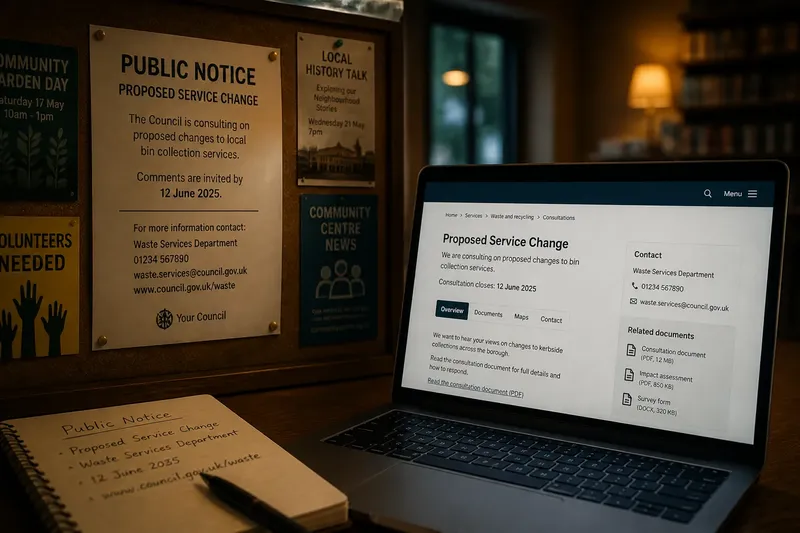
Public notices changed from noticeboards to web pages by adding new ways to find and share an announcement, not by making every paper display obsolete. A noticeboard can still put information in a familiar local place; a web page can link readers to documents and updates. Knowing how those formats differ helps you choose where to look and what to request.
Paper noticeboards made local display the main route
A paper notice depends on a physical display. Someone must put it where the intended readers might see it, and the sheet must stay legible and accessible. A notice on a library or community-centre board may reach people who use that building, while people who do not visit it may miss the announcement.
The board also supplies a little context through its location. A notice beside information about a local service can be easier to connect to that place than a loose sheet encountered elsewhere. But the paper itself offers limited room for supporting details, so readers may need to use a telephone number, postal address or named office to ask for more.
Web pages added search, links and remote access
Putting a notice on a public body's website gives readers another route to it. They may reach it through the site's search, a calendar, a search engine or a link shared by email. The page can also connect to supporting papers, maps and contact details without requiring a visit to the display location.
Online publication brings different obstacles. A page may be hard to locate, a link may fail, or an important detail may sit inside an attachment that does not work well with assistive technology. A web notice can be available remotely and still leave readers uncertain about who issued it or where to get help.
Digital access works best alongside useful local routes
A web page does not reach everyone who can see a paper notice, and a noticeboard does not serve people who cannot get to it. Public bodies can make both routes useful by keeping the wording consistent, naming a contact point and explaining how to request the information in another format.
For readers, the practical choice is often to use the format that is available and ask for another route if it is not usable. On a board, note the title and issuing body before leaving. Online, save the page address or document title so you can refer to the same material when contacting the responsible office.
- If the board notice has a clear issuing body and contact detail, use those to request the supporting information; if either is missing, ask the venue staff where official copies are held.
- If the paper is faded, covered or difficult to read, note its location and visible title and ask for a legible copy; if no title is visible, describe the subject and ask the issuing body to identify it.
- If the web page names the responsible public body, use its contact route for questions; if it does not, check the organisation's official website before relying on a third-party listing.
- If a web link opens the supporting document, read the document alongside the notice; if the link fails, record the page title and request a working copy from the named office.
- If the page offers an accessible text version, use it when the attachment is difficult to read; if it does not, ask for a suitable format through the listed contact route.
- If the paper and web versions show different wording or dates, do not assume which is current; contact the issuing body and ask it to confirm the authoritative version.
A clear notice should make its source and next route visible
Across paper and web formats, readers need to know which organisation issued the notice and where to find more information. A useful notice names the responsible body, gives a clear title and provides a practical route for questions. Supporting material should be identifiable, whether it is attached to a web page or available from an office.
Accessibility also depends on how information is presented. Web pages benefit from descriptive links and text that can be read without opening an image. Paper displays benefit from legible printing and a contact route that is not hidden by other sheets. If you need large print, translation or another format, ask the issuing body how it can provide the information.
How do I find and use a public notice in either format?
Where should I look for a paper notice?
Check public display boards at places connected to the service or area, such as a library or community centre. If you cannot find the notice there, contact the public body responsible for the subject and ask where it displays official copies.
How can I locate a notice online?
Search the responsible public body's website using the place or service named in the announcement. If the search does not locate it, contact the body and provide the subject and any visible date or title.
What should I do if a link or attachment does not work?
Write down the page title and the document you were trying to open, then use the page's contact details to request a working copy. If no contact is listed, use the public body's official contact page and describe the broken route.
Can I request the same notice in another format?
Ask the issuing body for a format you can use, such as large print or a text version. If the notice gives no contact details, seek the responsible body's official contact route and explain what information you need.
A worked example shows how to bridge a missing link
Say you find a paper notice on a community-centre board about a planned change to a nearby service. The sheet names the council department and gives a web address, but the address leads to an error page. First, you note the notice title, the department name and the address as printed. Next, you contact that department through the council's official website and ask for the notice's supporting document and a working online route. If the department supplies the document, you can read the same material without relying on the failed link; if it cannot identify the notice from those details, you can return to the venue and ask for a clearer copy.
The change from noticeboards to web pages is best understood as an expansion of routes into public information. When searching for a public notice, use the format you can reach, then ask the issuing body for a clear copy or another access route if something is missing. That small step can connect a local display to the fuller information held by the responsible organisation.