What “Proposed” Means in a Public Notice
Learn what “proposed” means in a public notice, identify the next action requested, and find the right record to check before treating a change as settled.
When a public notice describes a parking restriction as proposed, do not treat the kerbside rule as changed. In a public notice, “proposed” tells you that an idea has been put forward; the rest of the notice should explain what readers can do next.
Read the notice for its practical instructions: the option under consideration, the response channel, the closing date if one is given, and where the issuing body will publish an update. This keeps your attention on the action the document asks you to take, rather than on guessing what officials will decide.
Read “proposed” as an invitation to check the instructions
The word signals that a public body is presenting an option, not necessarily asking readers to follow a new arrangement. A notice may invite comments, provide details for an application process or simply explain that a document is a draft. Its purpose and instructions tell you which applies.
Find the sentence that says what the issuer wants readers to do. Look for wording such as “send comments”, “view the plans”, “submit an objection” or “see the attached schedule”. Then check the named contact, submission method and any deadline. If there are no instructions, do not assume that a response is expected.
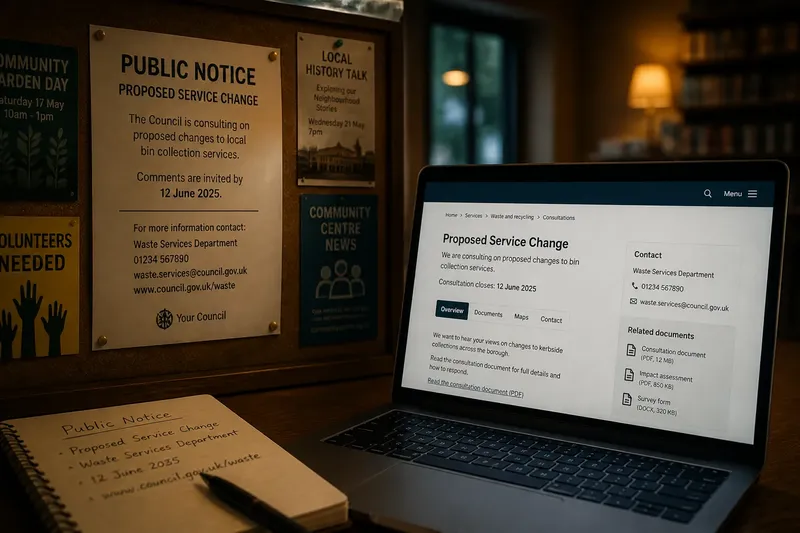
Say you receive a notice about a proposed change to a bus stop. It names a council transport team and asks for comments by a stated date through an online form. The useful next action is to read the linked plan and send any relevant comment through that form; the notice is not an instruction that the stop has already moved.
Use the notice to identify the action you can take
Start with the notice’s subject line and opening paragraph, then follow its links or attachments. A short headline may not include the details needed to respond. A linked plan, form or public information page may explain the boundaries of the proposal and the route for submitting a view.
Check each of these points before acting:
- What is being described? If the notice names a specific service, place or document, use that scope when reading the details; if it is too vague to identify, ask the issuer which proposal the notice concerns.
- What does the issuer ask readers to do? If it requests comments, follow the stated response route; if it asks for no response, read it as information rather than inventing a submission process.
- Where should a response go? If the notice gives a form, email address or postal route, use that channel; if the route is missing or inaccessible, contact the named public body for an alternative.
- Is there a deadline? If the notice gives a date, plan around it; if no date appears, ask whether comments are being accepted and when the opportunity ends.
- What material explains the proposal? If a plan or report is linked, read the relevant pages before responding; if the link is broken or the attachment is absent, request a working copy.
- How will the issuer acknowledge a response? If it describes a confirmation or receipt, keep that record; if it says nothing, save your own copy and ask the contact how submissions are handled.
- Where will the issuer post further information? If a website, noticeboard or contact is named, check that source for updates; if none is named, ask where to look rather than relying on an unrelated summary.
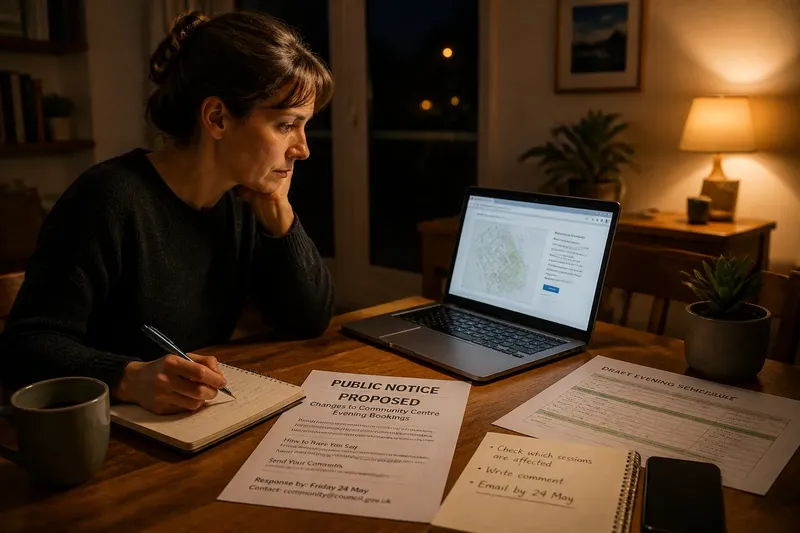
Imagine a resident receives a notice about a proposed evening change to a community centre’s booking arrangements. In this invented situation, the notice links to a draft schedule, gives a council email address and sets a response date. The resident opens the schedule, checks which sessions are affected, writes a short comment about the session they attend and emails it to the stated address before the date. The observable result is a sent message in the resident’s email record; the notice itself does not tell them whether their comment will alter the schedule.
Check the document type before using its wording
A consultation notice usually tells readers how to offer views. A public information page may explain an option without asking for responses. A form or application notice may describe a proposal submitted by someone else and show how the public can inspect related material. The document’s stated purpose is a better guide to your next action than the word “proposed” alone.
Use the document title, issuing body and named contact to work out who to ask if instructions are missing. A council website may link to a committee page or a planning portal; a paper notice may give a postal address or a place to inspect documents. Follow the route the notice itself provides before searching elsewhere.
If the notice uses technical terms, check whether it explains them or links to a plain-language account. Keep the original wording beside your notes so you can ask about a particular line rather than making a broad assumption.
What should I do if the notice leaves a question open?
Where should I send a comment?
Use the channel printed in the notice, such as its named email address, response form or postal address. If none is given, contact the issuing body and ask which route it accepts.
What if a link or attachment will not open?
Ask the named contact for an accessible copy or a working link, and state which document you need. Keep the notice so you can identify the title and date clearly.
How can I check whether my response arrived?
Save a copy of what you sent and any confirmation message. If no acknowledgement is described, ask the contact whether the submission was received.
What if the notice does not say what happens next?
Ask the issuer what information it plans to publish and where readers should look for it. A direct, specific question is more useful than trying to infer a timetable from the notice’s tone.
Keep a clear record of your response
Before sending a comment, save the notice and any linked document that explains the subject. Write down the date you responded and the channel you used. If the form provides a reference or confirmation, keep it with your copy.
Make your message easy to process. State which proposal or location you mean, refer to the relevant part of the notice, and explain the point you want the issuer to consider. If the notice asks for a particular format or limits the submission to a named question, follow those instructions.
For a public notice, the word “proposed” is a prompt to find the reader’s next action: inspect a document, submit a comment or ask for missing instructions. Read the notice’s own contact and response details, and use the named channel. When a notice’s process has consequences for your legal rights or obligations, ask the responsible authority or a qualified professional for advice.